Register as sequencer
Time: ~10 minutes.
Register through the staking dashboard
You'll register through the Aztec Staking Dashboard using your public keystore (~/.aztec/keystore/key1_staker_output.json). This file contains only public information (attester address, BLS public keys, proof of possession). Safe to share.
1. Open the dashboard and connect your wallet
Navigate to https://stake.aztec.network and connect the wallet that holds your AZTEC tokens.
2. Click Stake
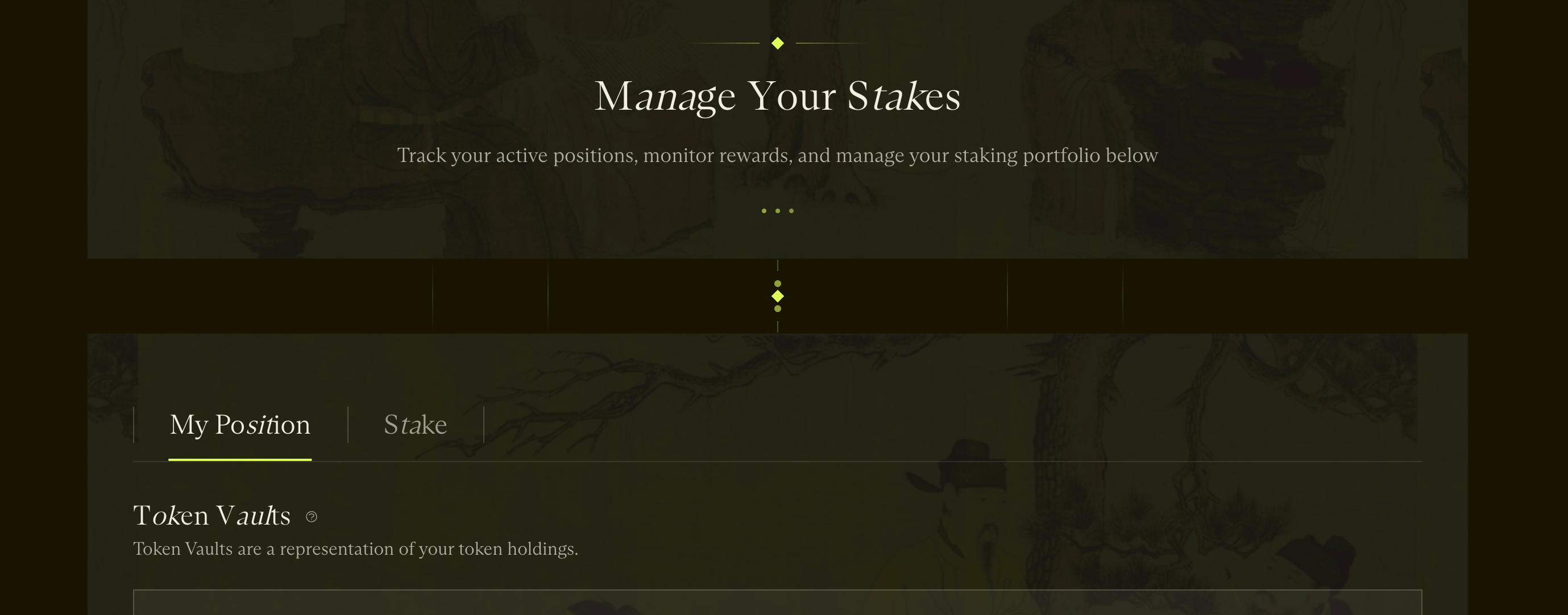
3. Select Run your own Sequencer
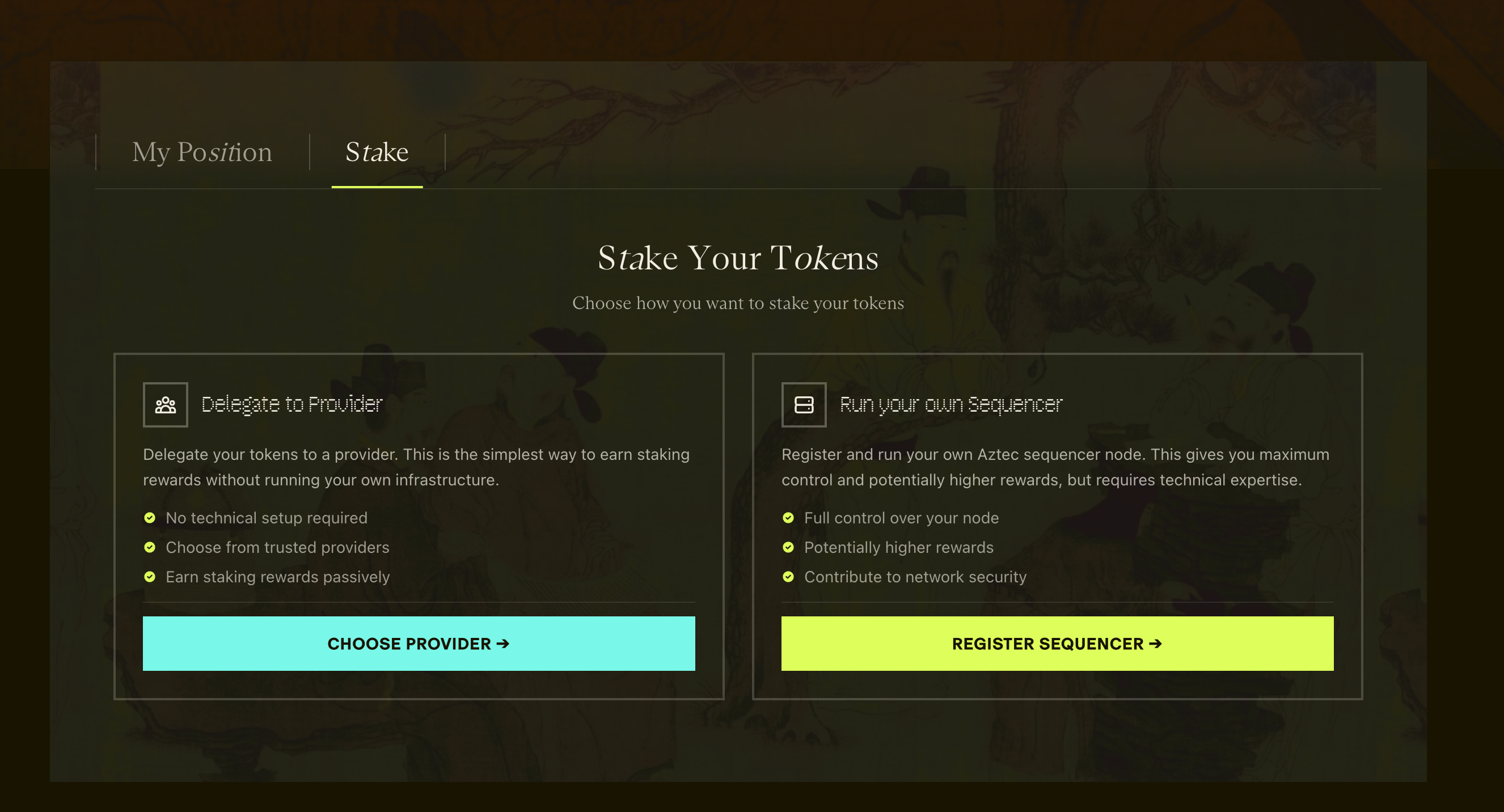
4. Click through Start Registration after reviewing the requirements
5. Select the AZTEC tokens you want to stake
6. Upload your keystore JSON file
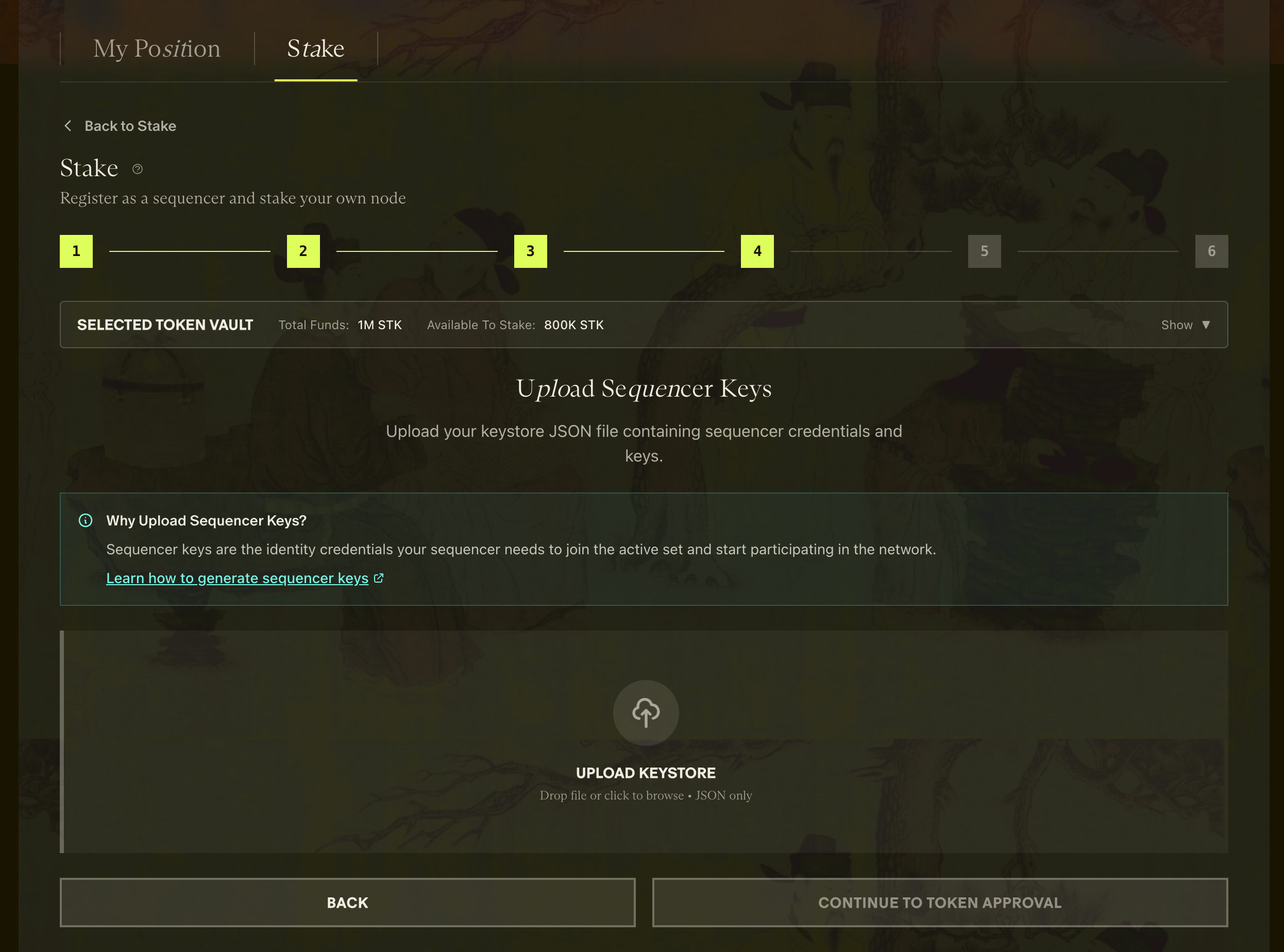
7. Confirm your attester / sequencer addresses
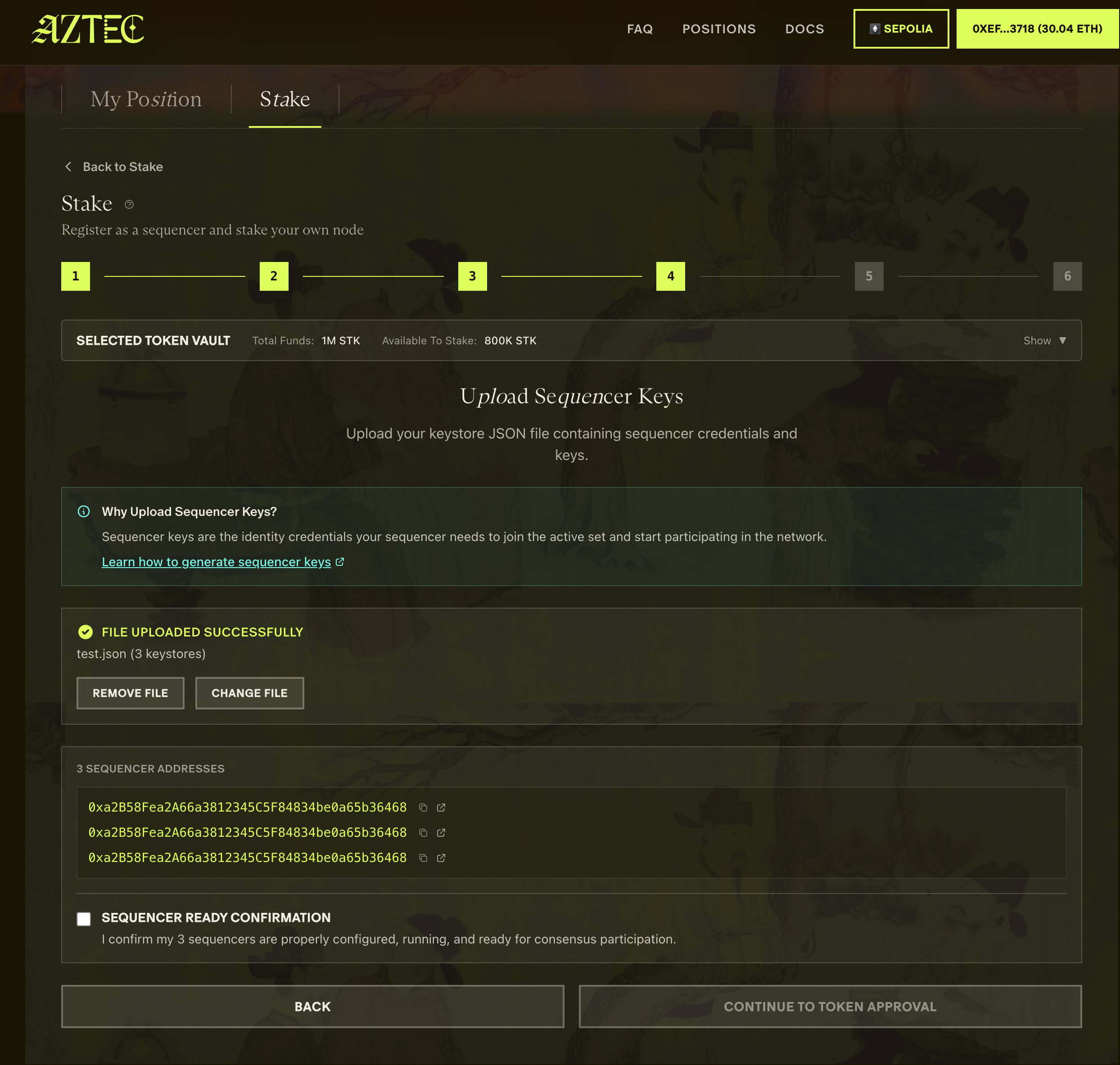
8. Approve token spend in your wallet
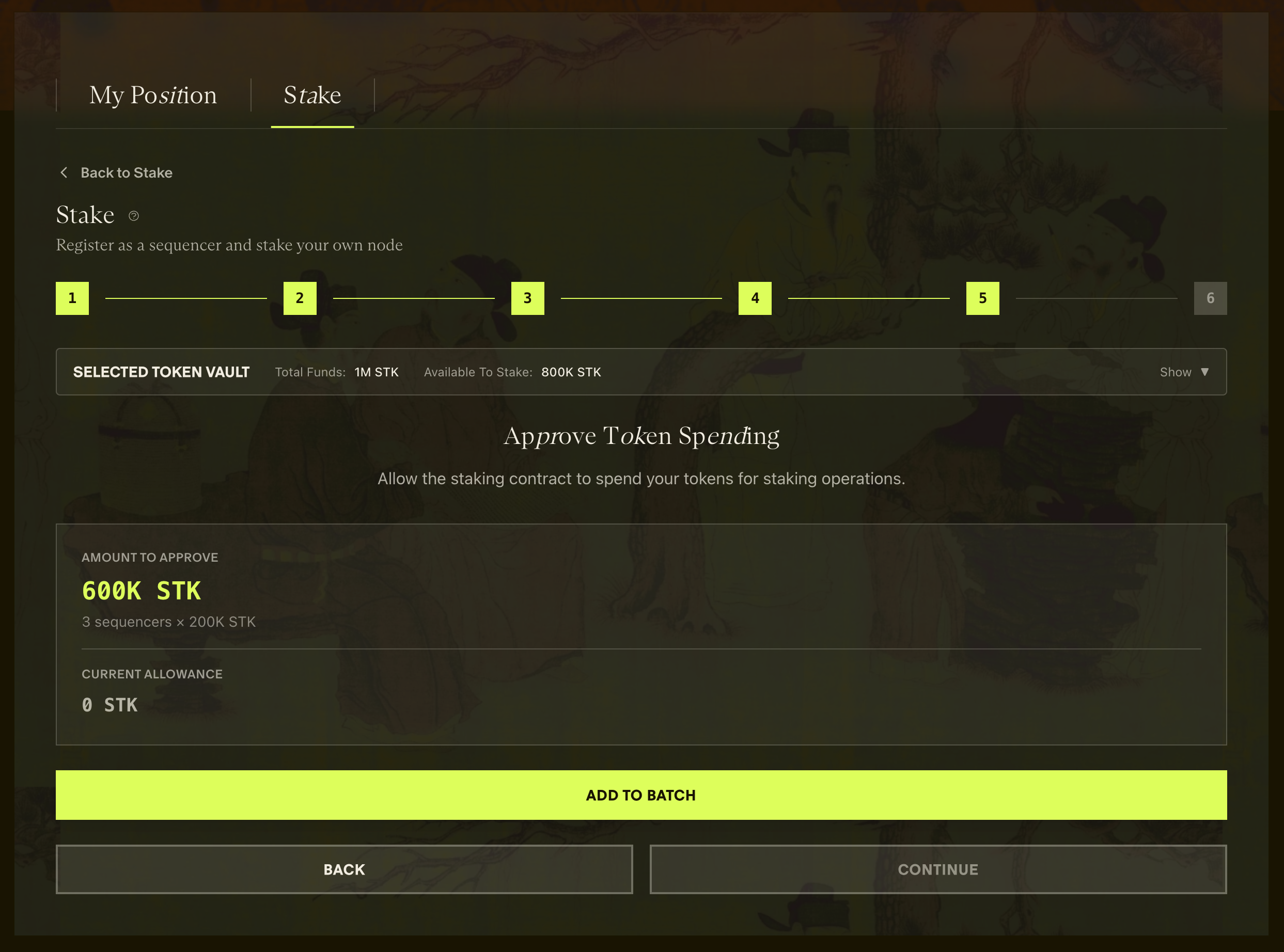
9. Add staking for all sequencers to the queue
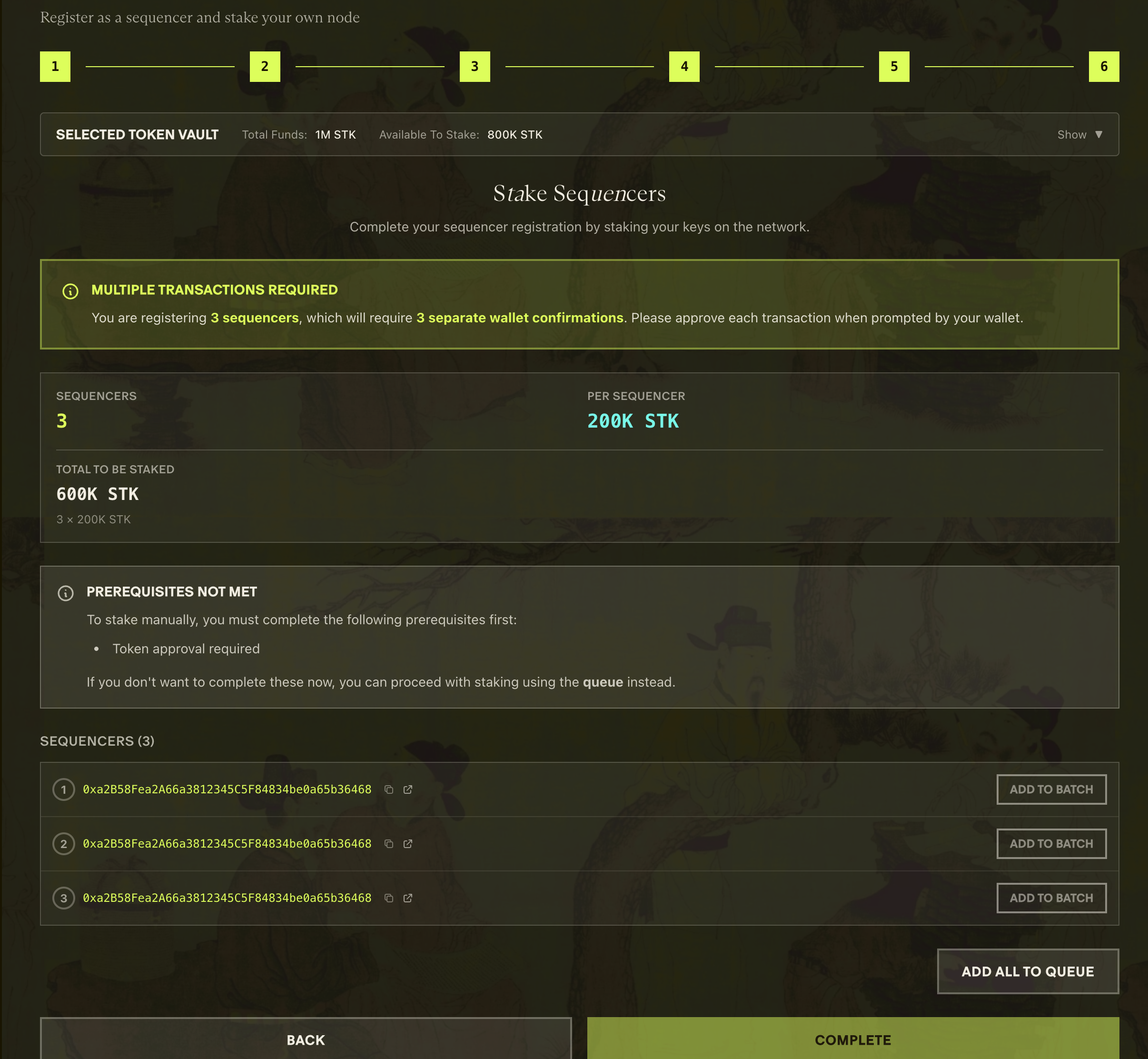
10. Execute transactions in the dashboard
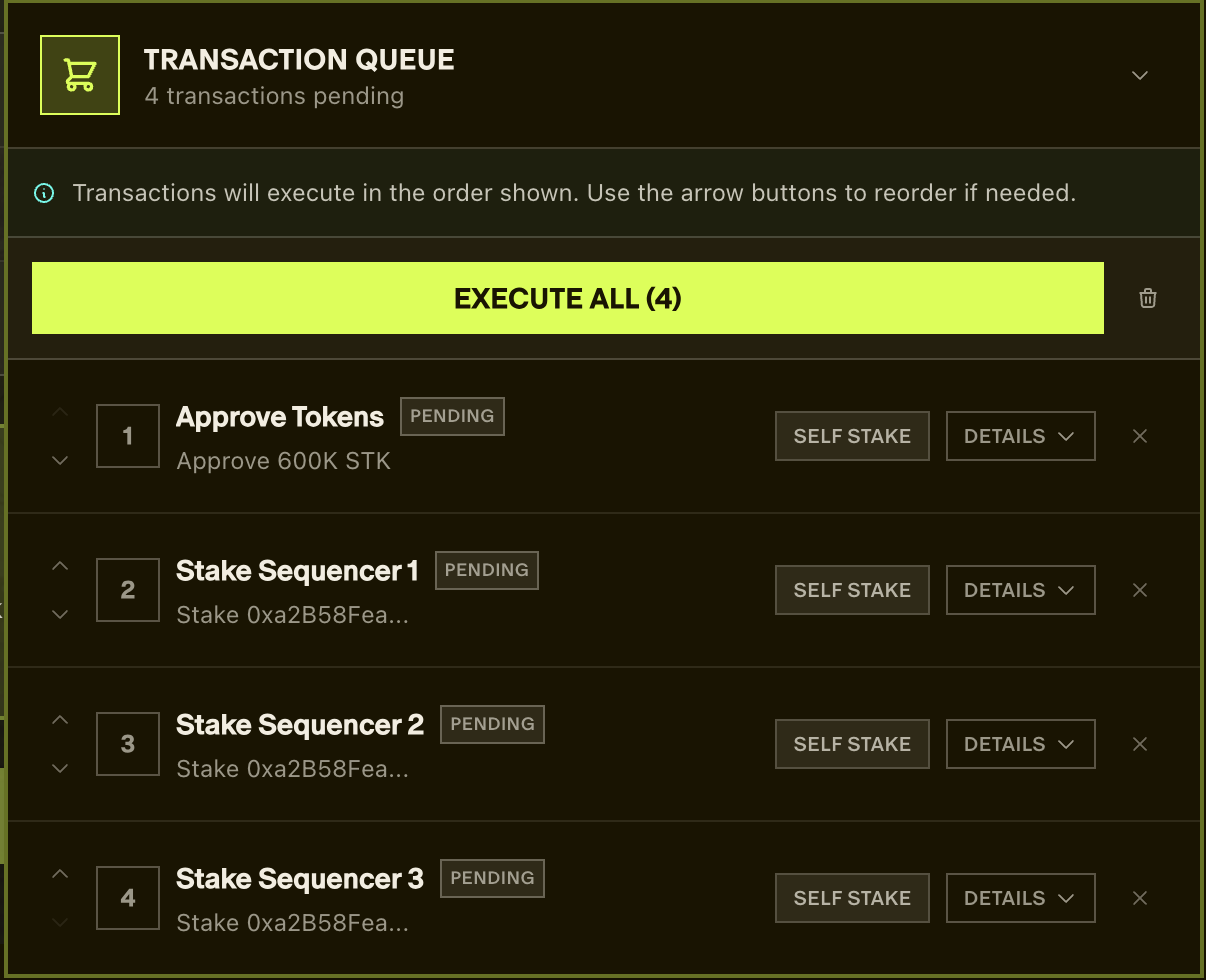
11. Confirm each transaction in your wallet, then click Complete
Your sequencer is now in the queue. Verify position at dashtec.xyz/queue, then continue to the next step, Verify everything works.
Adding another sequencer later
To register an additional self-staked sequencer after your first, generate another attester with its own staker output, then upload that staker output to the dashboard:
aztec validator-keys new --staker-output \
  --mnemonic "<your mnemonic>" \
  --gse-address {{GSE_ADDR}} \
  --l1-rpc-urls {{ETH_RPC}} \
  --l1-chain-id {{L1_CHAIN_ID}}
aztec validator-keys new does not overwrite your existing keystore: if key1.json exists it writes key2.json and key2_staker_output.json, leaving your first attester untouched. The node loads every keystore file in KEY_STORE_DIRECTORY, so once key2.json is in that directory it runs alongside the first. Copy only the keyN.json files into that directory (not the *_staker_output.json files, which make the node fail to start), then repeat the dashboard steps above, uploading key2_staker_output.json.
add does not produce a staker outputaztec validator-keys add <keystore> appends an attester to an existing keystore file, but it does not generate a staker output, so the dashboard has nothing to upload for the new attester. For dashboard registration, use new --staker-output as shown above.
You can derive every attester from a single mnemonic, or use a separate mnemonic per batch. With one mnemonic, pass --address-index <N> each time, where N is the number of attesters already derived from it, so the new keys do not duplicate the existing ones (new derives from index 0 by default). One mnemonic means a single backup to secure; a fresh mnemonic per machine keeps each machine's keys independent if one backup is ever exposed.
L1 contract addresses (Testnet (Sepolia))
Registry  {{REGISTRY_ADDR}}
Rollup    {{ROLLUP_ADDR}}
GSE       {{GSE_ADDR}}
Slasher   {{SLASHER_ADDR}}
Full list: docs.aztec.network/networks.
What just happened?
You registered your attester address and BLS public key in the L1 Rollup contract. The contract locked 200K AZTEC tokens as your stake. Once processed (1 to 2 epochs), your sequencer starts being selected for committees. When selected, it attests to proposed blocks and occasionally proposes a block itself. Sequencer rewards (issuance + attestation) accumulate against your coinbase address on the Rollup contract; you withdraw them with claimSequencerRewards(coinbase). L2 transaction fees are not enabled yet, so the keystore's feeRecipient field stays zero.